Digital Products & Enterprise Platforms
Internal Tools & Workflow Platforms
Give employees one practical place to submit requests, complete tasks, route approvals, manage handoffs, and track work across internal processes.
When to use this offering
This offering is useful when important internal work depends on disconnected forms, spreadsheets, emails, messages, documents, and manual handoffs. The issue is often not that the process is completely undefined. Employees simply lack one clear workflow showing what to submit, who owns the next step, which approvals are required, and where the work currently stands.
Requests arrive through too many channels
Employees submit work through email, chat, spreadsheets, shared documents, forms, and informal conversations without one consistent intake process.
Work depends on manual handoffs
Teams copy information between systems, forward requests, update trackers, and remind one another what should happen next.
Approvals stall without clear ownership
Requests wait because employees do not know who must review them, which approval comes next, or when an issue should be escalated.
Process status is difficult to see
Requesters, managers, and process owners cannot quickly tell what is complete, what is delayed, who owns the work, or what is blocking progress.
Spreadsheets are acting like software
Critical workflows rely on complicated spreadsheets that are difficult to maintain, control, scale, and use consistently across teams.
Employees re-enter the same information
The same details are copied into multiple forms, documents, systems, and status trackers because related workflow steps are not connected.
Legacy tools force workarounds
Existing platforms technically support the process but create enough friction that employees rely on unofficial tools, offline trackers, and manual shortcuts.
Business rules are applied inconsistently
Approvals, routing, eligibility, prioritization, and escalation depend on individual judgment because workflow logic has not been built into the experience.
Process changes are not reflected in the tools
A restructuring, policy update, technology rollout, or operating-model change introduces new requirements while employees continue using outdated forms and processes.
Reporting requires manual reconciliation
Teams spend time combining data from multiple trackers because there is no shared view of volume, status, ownership, timing, and unresolved work.
What you get
Deliverables may include a workflow focus brief, current-state process assessment, future-state workflow architecture, requirements and user stories, role and permission model, intake forms, approval logic, task views, dashboards, interface prototypes, implementation direction, and platform governance.
Workflow Focus Brief
Current-State Process Map
Workflow Gap Assessment
Future-State Workflow Architecture
Requirements and User Stories
Clearer Internal Processes
More Consistent Request Intake
Visible Workflow Status
Better-Defined Ownership
Stronger Approval Logic
More Maintainable Operations
Forms and Intake System
Approval and Routing Logic
Task and Status Framework
Dashboard and Reporting Views
Interactive Platform Prototype
Implementation Roadmap
Platform Governance Guide
What this can include
What Internal Tools & Workflow Platforms Can Include
Every platform is shaped by the process being supported, employee roles, business rules, approval requirements, data inputs, existing systems, reporting needs, security considerations, and level of automation required.
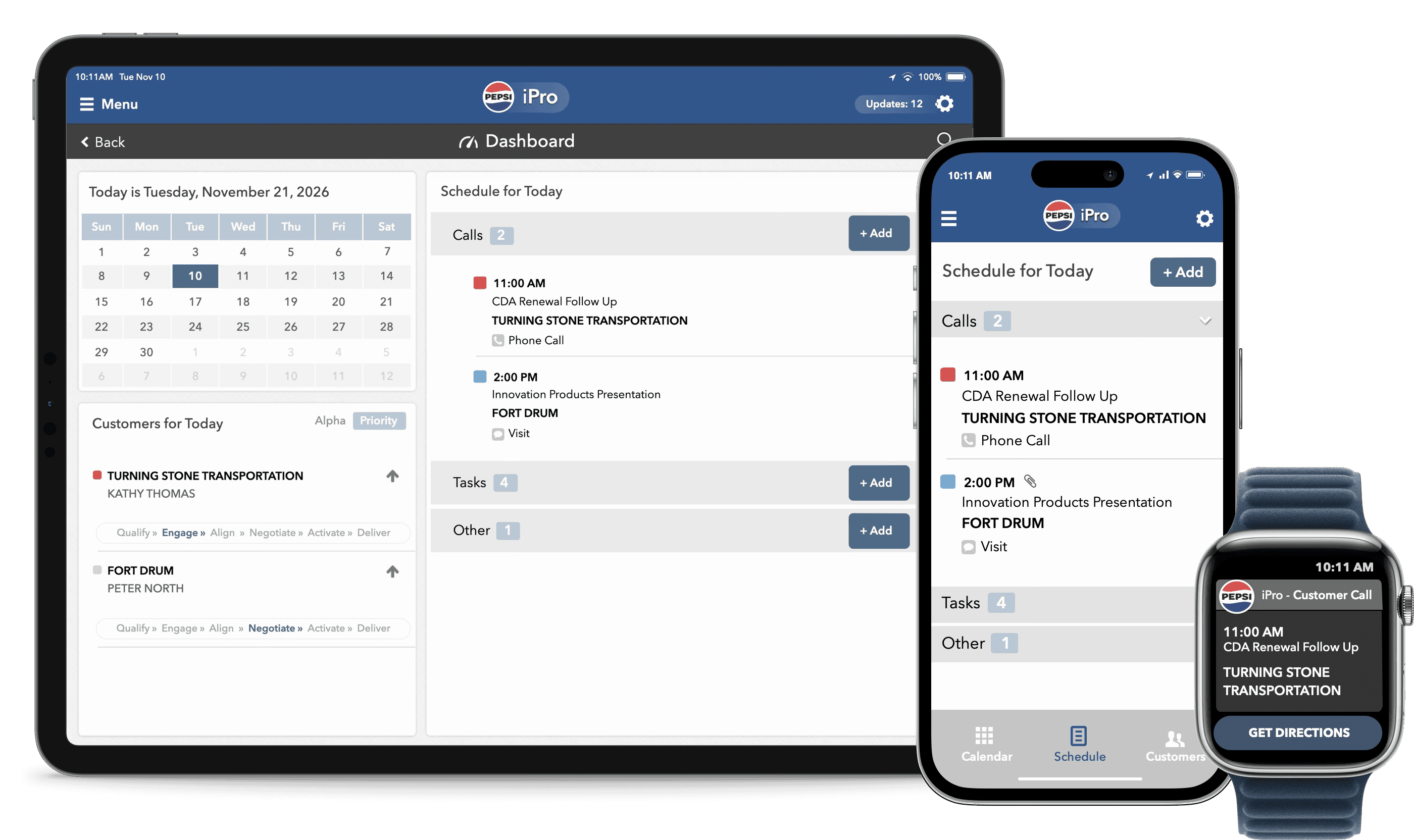
Better internal workflows aren’t always about adding another tool… They’re often about giving people one clear place to get the work done. The interactive example below shows how disconnected forms, spreadsheets, emails, approvals, and manual handoffs can be transformed into a connected workflow platform with structured intake, clear ownership, role-based tasks, approval routing, visible status, and operational reporting. Follow a design change at the fictional Bramwell + Partners architecture practice as it moves from submission through technical and cost review, principal approval, client sign-off, and completion. Along the way, you’ll see how business rules, roles, and request details can determine what happens next: turning an informal process into a system employees can understand, trust, and act through.
Start with the introductory comparison to see the fragmented process this platform replaces, then select Explore the Platform to investigate it on your own, or use the Guided Read in the upper right for a step-by-step tour.
Best fit
Who Internal Tools & Workflow Platforms Help
Enterprise Organizations
Align complex teams, tools, and communications to drive transformation.
Change & Transformation Teams
Help people understand, adopt, and sustain new ways of working.
HR & Talent Leaders
Employer brand, onboarding, and workforce readiness with clarity.
Executives
Turn expertise into visible influence and communicate with impact.
Step by step
01
Map
We define the operational use case and review how employees, systems, information, decisions, and handoffs currently move through the process.
Business-use-case definition
Employee and user-role mapping
Current-state process review
Request and intake assessment
Workflow-stage mapping
Approval-path review
Business-rule identification
Existing-system assessment
Manual-workaround review
Data and document requirements
Process ownership definition
Workflow-gap assessment
02
Design
We define the future-state workflow and translate it into platform requirements, interface structures, role-based experiences, and functional prototypes.
Future-state workflow architecture
Requirements and user stories
Information architecture
Request-type definition
Form and field planning
Conditional workflow logic
Role and permission model
Task and status framework
Approval and escalation rules
Dashboard requirements
Notification planning
Integration requirements
Responsive interface design
Interactive prototype
03
Implement
We prepare or build the priority platform experience and establish the testing, administration, ownership, and governance required for ongoing use.
Platform configuration or development
Workflow-rule setup
Form production
Role-based dashboard creation
Approval-flow implementation
Notification setup
Reporting-view development
Integration coordination
User testing
Accessibility and quality review
Administrator guidance
Launch and handoff planning
Enhancement backlog
Platform governance
Related Services
Related Offerings for Internal Tools, Workflows, and Enterprise Platforms
Enablement Hubs & Communication Systems
HR Training & Onboarding Hubs
Employees and managers need one clear place to find onboarding steps, training resources, HR guidance, and the actions that apply to them.
Digital Products & Enterprise Platforms
Dashboard & Reporting UX
Fluence improves dashboard structure, KPI hierarchy, reporting views, filters, and data visualization so stakeholders can understand what changed, what matters, and where to look next.
Digital Products & Enterprise Platforms
Application UX & Interface Design
Fluence improves application workflows, screens, interface patterns, and interaction behavior so users can complete important tasks with less confusion.
Digital Products & Enterprise Platforms
Platform Experience Optimization
Fluence improves live platforms by identifying user friction, adoption barriers, navigation issues, content gaps, and workflow problems—then prioritizing what should change first.
Strategy & Transformation
Business Case & Roadmap Development
A strategic idea needs to become a phased, credible, internally sellable plan.
Common questions
What is an internal tool or workflow platform?
What problem does this offering solve?
Who is this offering for?
What types of workflows can the platform support?
What is included?
Does this include software development?
Ready to improve the internal workflow?
